
4.9/5 from 1,208 customers
Inspections that fix things
Scored and unscored checklists, tied to your sites and your equipment. A failed check raises a job with an owner and a due date — and feeds the schedule that stops it happening again.
- Unlimited users — auditors, managers, contractors
- Scored and unscored checklists, built your way
- Every checklist linked to a location and an asset
No obligation · No credit card · A reply within one business day

Trusted by multi-site operators in food service, healthcare, retail and manufacturing





The problem
A finding in a report is not a fix
Inspection tools are very good at telling you what is wrong. Most of them are far less good at making sure anything happens next — which is the only part that changes an outcome.
The report gets filed, not actioned
A failed check becomes a line in a PDF that somebody is supposed to read and act on.
ResultSame failure, next audit
Nobody knows whether it was fixed
There is no owner, no due date and no thread back to the audit that raised it.
ResultChasing, guessing, repeat visits
The same equipment keeps failing
Checks are not tied to assets, so the pattern never surfaces and nothing gets scheduled.
ResultRepeat failures, repeat cost
Everything an inspection programme actually needs
Everything GoAudits does, tied to the sites and the equipment being inspected — so a finding turns into work instead of a filed report.
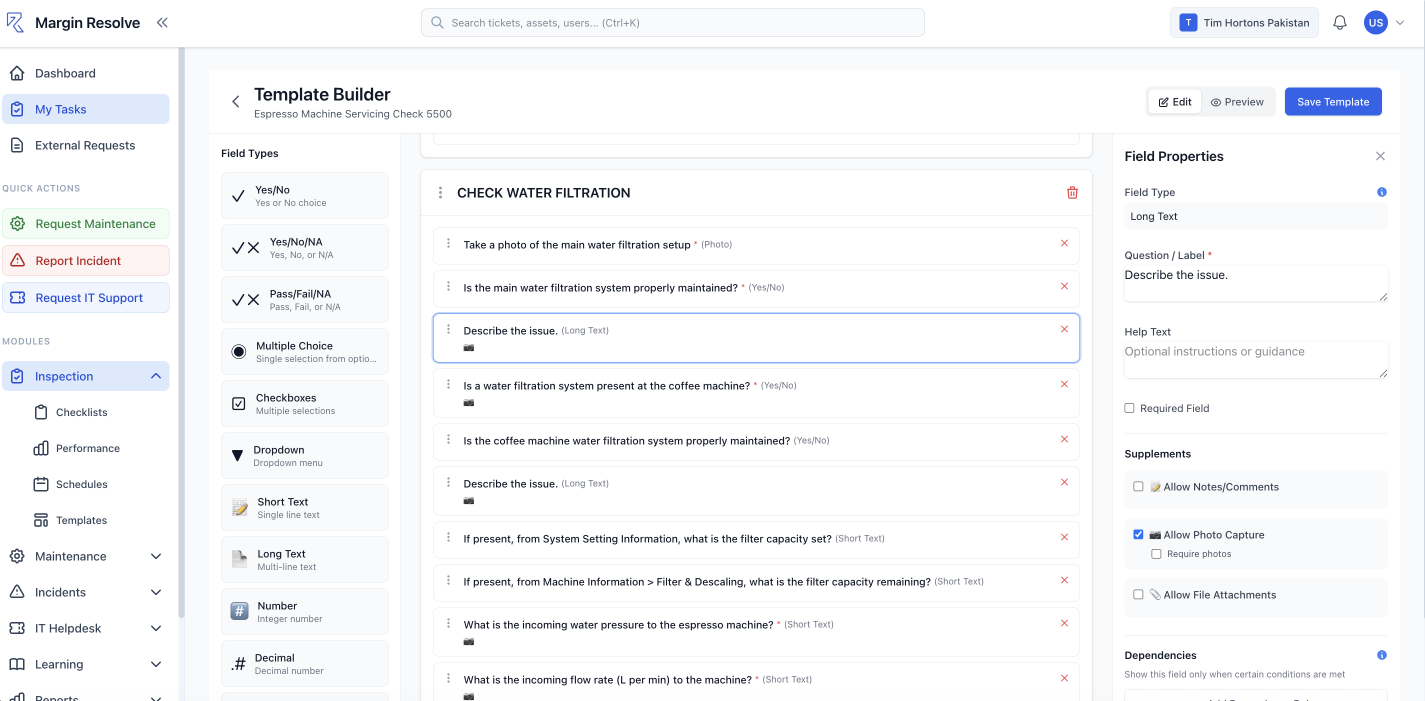
Scored & Unscored Checklists
Score a check when you need a number, and leave it unscored when you just need it done.
Weighted Scoring & Thresholds
Weight the sections that matter and set the score at which a site passes or fails.
Conditional Logic
Answer “no” and the follow-up appears — a photo, a comment, a corrective action.
Template Library
Start from a ready-made checklist instead of a blank page, then edit it to your standards.
Multi-Language Checklists
The same checklist served in the language each team actually reads.
Photo Capture & Annotation
Draw straight on the photo to circle the problem, so nobody has to guess what you meant.
E-Signatures
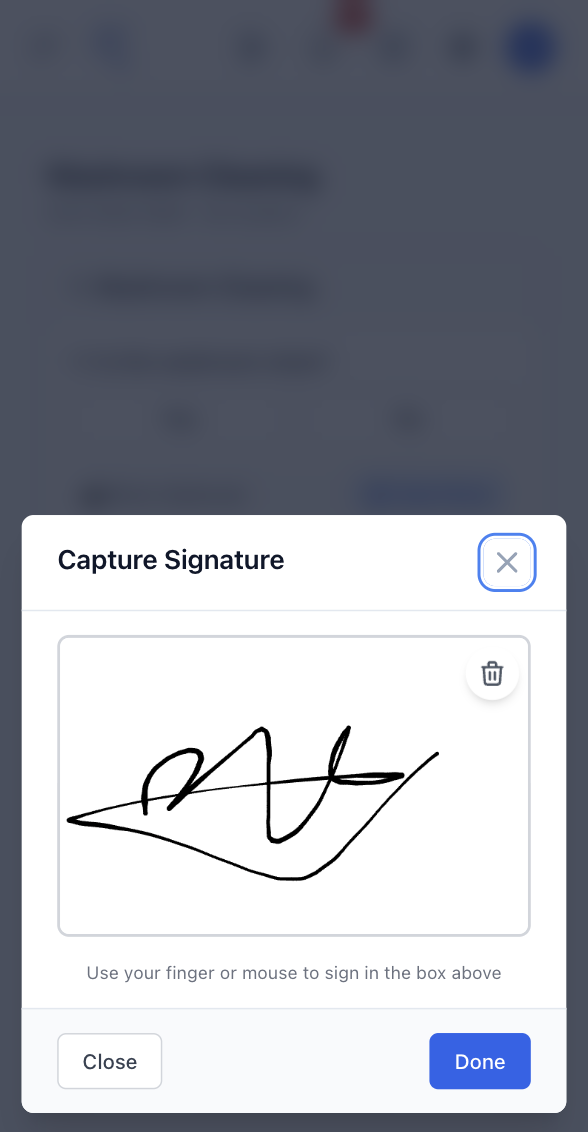
Sign off on the device — auditor, manager, or both — captured with the record.
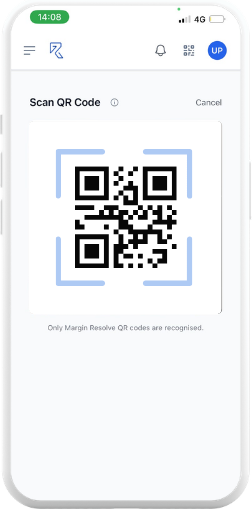
QR & Barcode Scan
Scan the code at a door or on a machine and the right checklist opens against it.
iOS & Android Apps
Built for a phone in one hand, not a form designed for a desk.
Checklists Linked to Locations
Every check belongs to a site, a floor or a room — not a filename.
Checklists Linked to Assets
Tie the check to the equipment it inspects, so its history builds against the machine.
Preventive Maintenance Triggers
A checklist result can raise the next service before the thing fails again.
Multi-Site Management
Standards set centrally, run locally, compared side by side across the estate.
Corrective Actions
A failed check raises a job with an owner and a due date, linked back to the audit.
Work Orders
The same work orders your maintenance team already runs — one system, one queue.
Notifications & Escalations
Assignment, due-date and overdue alerts in the app, by email and on the phone.
Audit Trail
Who checked what, when, and what happened next — timestamped and unedited.
Branded PDF Reports
A finished report the moment the inspection is submitted, in your own branding.
Scheduled Distribution
Reports land in the right inboxes on a schedule, without anyone exporting anything.
Trend Dashboards
Scores over time, site against site, and the questions that fail most often.
Recurring Failure Analysis
Find the check that keeps failing, and the asset behind it.
Permissions & Roles
Head office sets the standard; sites see their own; contractors see only their jobs.
Contractor Access
External auditors and engineers work in the system without a licence fee.
Documents
Method statements, SOPs and certificates attached where the work happens.
2FA & Secure Login
Two-factor sign-in, with role-based access across every site.
Where inspections meet maintenance
A failed check becomes a job, not a line in a report
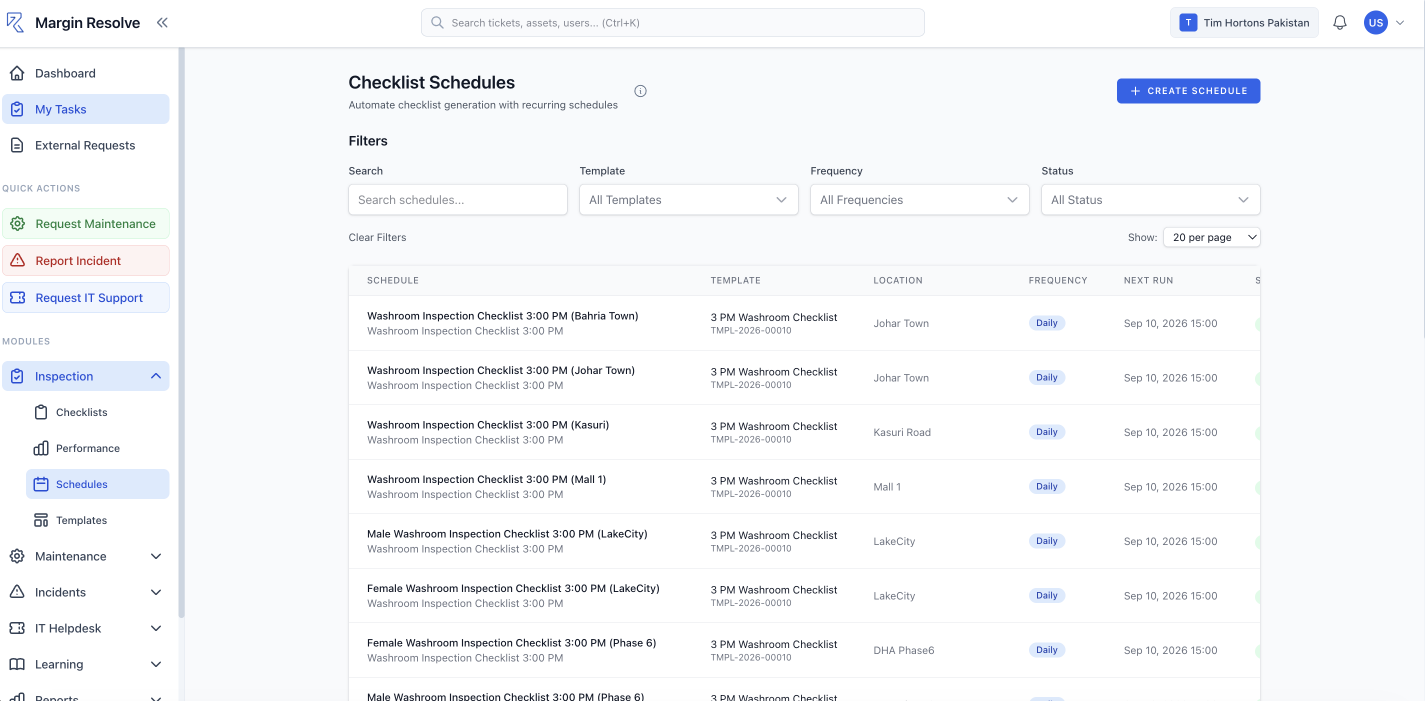
Every checklist is attached to a location and, where it matters, to the exact piece of equipment it inspects. So a result is never just a score — it is a score against that fridge, at that site, on that date.
Fail a question and the work order is raised for you — an owner, a due date, and a thread back to the audit that found it. When the same asset keeps failing, it schedules the service that stops it happening again.
- One checklist, scheduled across every location
- Failed answers raise work orders automatically
- Repeat failures trigger preventive maintenance
Reporting
Reports that point at a place, not a PDF
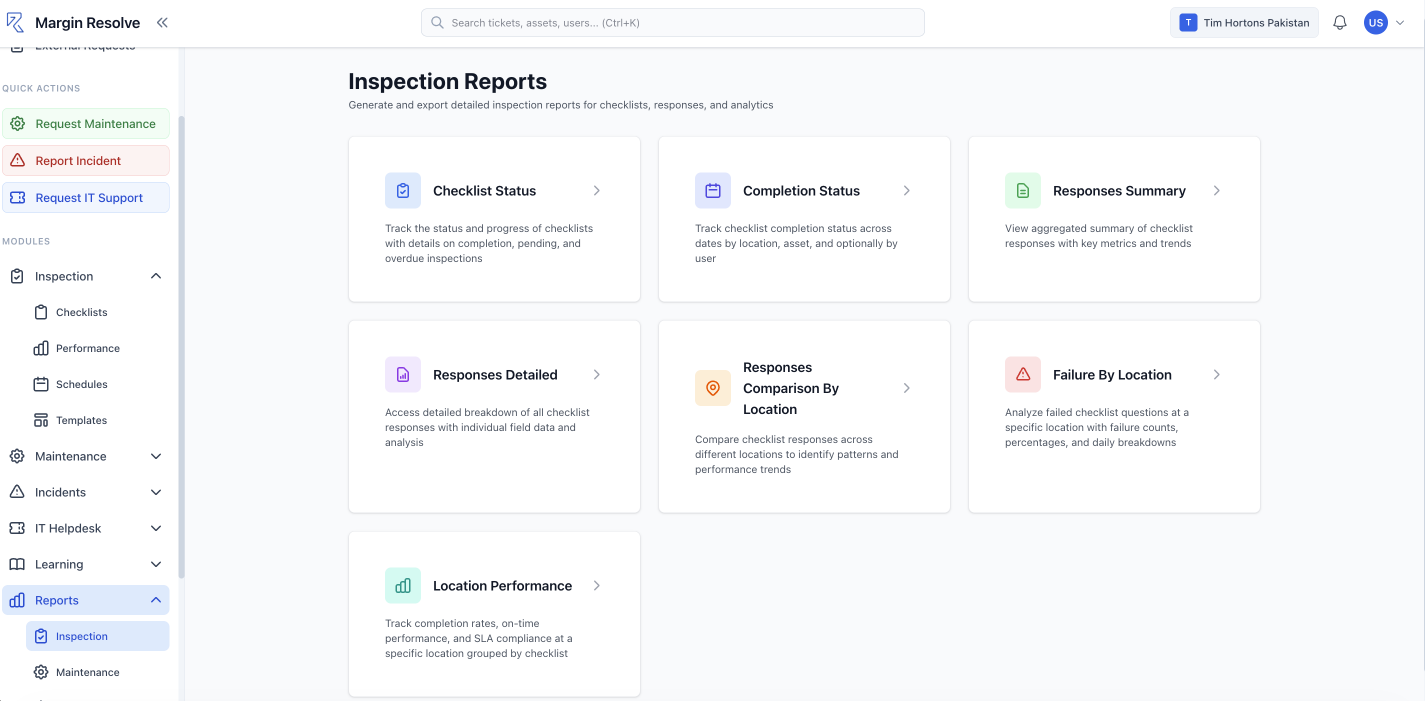
Because every check belongs to a location and an asset, the reporting can answer questions a document never could: which site fails most often, which question fails everywhere, and which machine is behind it.
Branded PDFs still land in the right inboxes on a schedule. The difference is that behind them sits data you can actually query.
- Failure by location, and by question
- Site against site, on the same scale
- Completion and on-time performance per site
Built for the person holding the clipboard
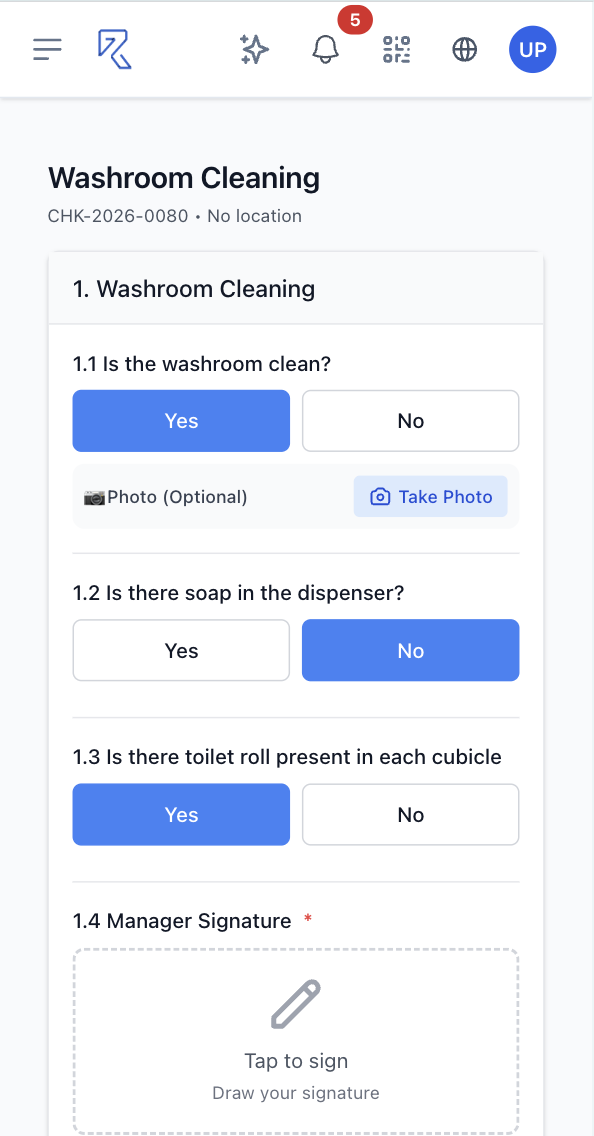
A site check takes about two minutes: scan the code, work the list, photograph what failed, sign and send. No login hunt, no form designed for a desk.
Draw straight on the photo to circle the problem. Sign off on the device. The report is generated and sent before you have left the building.



Proof
Teams who stopped filing reports nobody read
94%Average brand-standard score, from 71%
"Every site was auditing to a slightly different standard, and none of it was comparable. Now it is one checklist, scored the same way everywhere, and I can rank seventeen sites on one screen. The scores went up because people could finally see where they stood."
 ArjunDirector of Operations · Multi-site restaurant group
0Findings left without an owner
"The difference is what happens after the audit. A failed check raises a work order against that machine, with a name and a date on it. Findings used to sit in a PDF until the next audit found them again."
 JamesHead of Engineering & Maintenance · Manufacturing
1 minTo produce twelve months of evidence
"The external audit was the moment it paid for itself. Twelve months of inspections, every check timestamped with a photo and a signature, exported in about a minute. That used to be two days of someone digging through folders."
 SarahDirector of Quality & Compliance · Multi-site retail and hospitality
Customer story

One standard, checked the same way everywhere
Brand-standard checks were done on paper and typed up later, if at all. Every site interpreted the standard slightly differently, findings were emailed round, and nobody could compare one location against another.
- Every site runs the same checklist scored the same way, so the results can actually be compared.
- Every check is tied to a location and an asset, so failures build a history against the equipment behind them.
- A failed check raises a job with an owner and a due date, linked back to the audit that found it.
“The scores went up because people could finally see where they stood. And the repeat findings dropped because a failed check now becomes a job, not a line in a report.”
How we compare
Where other inspection tools stop
Every tool here will help you run a checklist on a phone. The difference is what happens to a failed check afterwards — and whether the check knows which piece of equipment it was inspecting.
Unlimited users comes with every Margin Resolve plan — including the free one.
Add on what you need, when you need it. Training & certification, geofencing, asset management, spare parts and custom reports are available on the paid plans, from $25 a month. You only pay for the modules you turn on.
Compiled from the publicly published product pages of GoAudits and Wooqer on 10 September 2026. This table lists only where Margin Resolve differs — capabilities all three share, such as scored checklists, conditional logic, photo capture, e-signatures and branded PDF reports, are covered above rather than repeated here. “Not published” means the capability is not listed on that vendor’s public pages — not that it cannot be built or bought. Neither GoAudits nor Wooqer publishes pricing. Plan contents change — bring the quote you are comparing and we will go through it line by line.
Want this comparison run against your own sites, with your assets and your numbers?
Book a 15-Minute DemoFAQ
Questions, answered
Still have a question? Email us and a human replies within one business day — or ask it on a demo.
Start free
Run your first inspection today, for nothing
Build a checklist and run it on a phone this afternoon. No card, no trial countdown, no call with anyone. GoAudits gives you 14 days; we do not take it away.
No card required. Stay on the free plan as long as you like.
Free plan
For a team getting its checks off paper and into one place.
Unlimited users — the whole team, not a seat count
- Scored and unscored checklists
- Checklists linked to locations and assets
- Photo capture with annotation
- Corrective actions from failed checks
- E-signatures and branded PDF reports
- Role-based access for staff and contractors
- iOS and Android apps included
- 2FA secure login and system notifications
- Business-hours support from the UK
- 25 submissions a month
Bespoke plans from $25
per month, for the whole teamAdds geofenced checklists, asset management, spare parts and custom reporting, with training and certification available on top. Priced on submission volume and the modules you pick — never on headcount, so unlimited users still costs nothing.
Talk pricing on a demo →Know what failed, who is fixing it, and when it’s done
A live, one-to-one demo with someone who knows operations — not a sales script. Fifteen minutes, and you'll know whether it fits.
- No obligation
- No credit card
- Free account available if you'd rather explore first
Not ready for a call? Email info@marginresolve.com and a human replies within one business day.